Article Listing Template
Overview
The Article Listing Page Template is used to house and list out article detail pages and generic pages that live underneath it. The Article Listing Page can dynamically display a collection of cards with its child pages, or not display child pages. This option is used to display cards with custom text over the dynamically pulled image and meta description.
Contents:
- Template customization options
- Template structure
- Template example
Article Listing Page Template Customization Options
| Element | Required | Options Available |
|---|---|---|
| Hero | Y |
|
| Above articles content | N |
Component Picker NOT Home & Hub Hero, Button, Product Detail Wall, Site Alert, Floating CTA Block, Product Hub Wall, Product Wall CTA, Anchor Nav Item Block, Accordion Item Block, List Block, Tab Item Block, Informational Modal, Product Bundle, Individual Product, Slideshow Item, Quick Links, Content Type Facets, Phone Number Block, Mega Navigation block, Form elements, Form step, or Rich text (with placeholders) |
| Child article cards | N |
Any article detail page that is nested under the article listing will automatically be displayed as a card here. If you do not want the article detail page to be shown here, you must uncheck “display on article listing page” on the article detail page itself. |
| Article listing variation | Y |
|
| Do not display article descriptions | Y |
|
| Display parent hub page button | Y |
|
Article Listing Template Structure
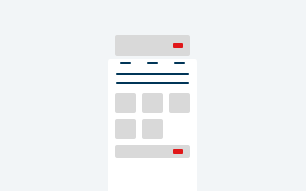
The following image depicts the structure of the Article Listing Template.

The page template above has these settings:
| Element | Option Selected |
| Hero | Simple Hero |
| Above articles content |
|
| Child article cards |
Dynamically pulled from Article Detail pages |
Page Template Example
Explore an example of a page using the Article Listing Template.